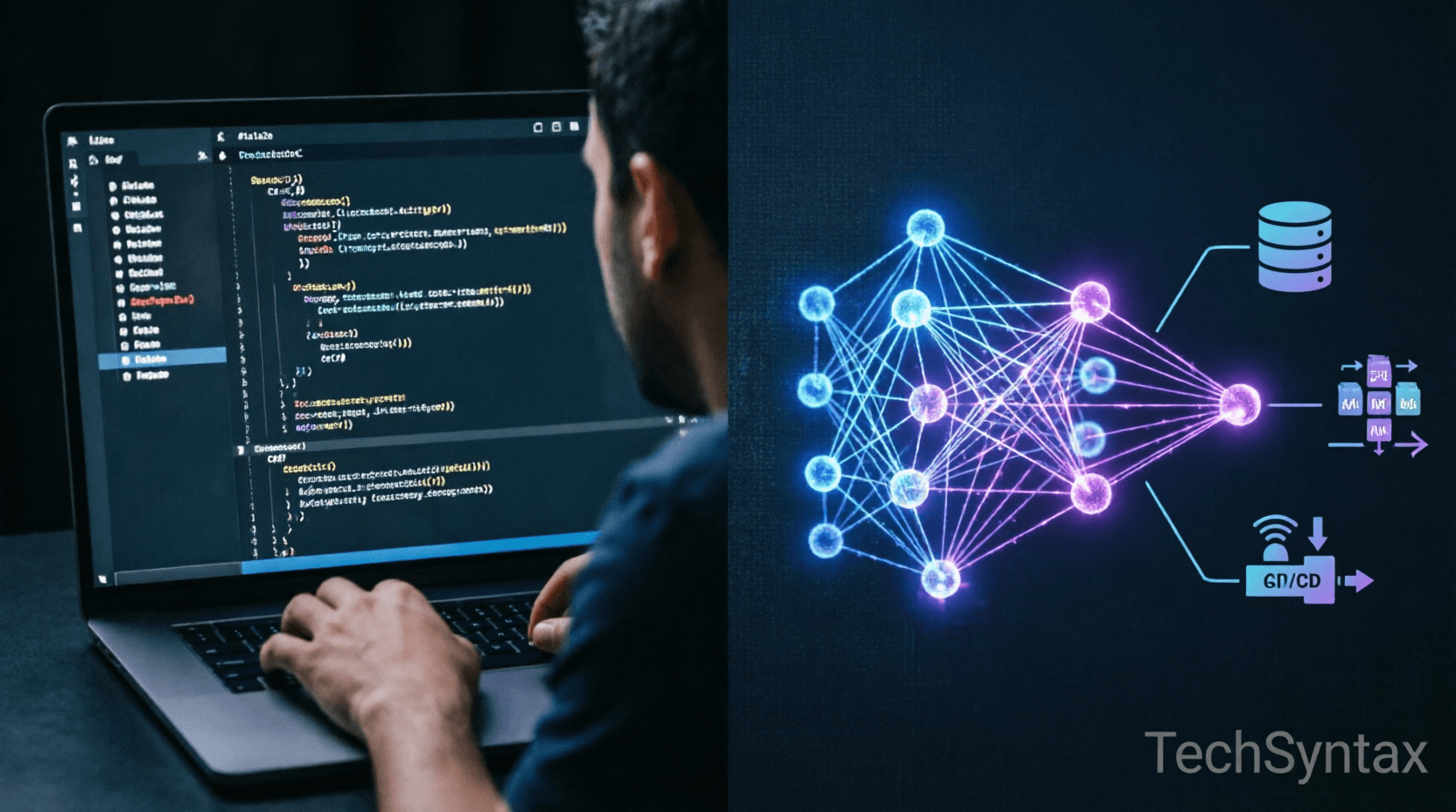
.png) 10 Ways AI Is Replacing Repetitive Backend Tasks
10 Ways AI Is Replacing Repetitive Backend Tasks
1. Introduction
Backend development has always been filled with repetitive, time-consuming tasks that drain developer productivity. From writing boilerplate CRUD operations to configuring CI/CD pipelines, debugging race conditions, and optimizing database queries—these activities consume 40-60% of a typical backend engineer's workweek.
Enter AI backend automation. Modern AI tools are fundamentally transforming how we approach these mundane tasks, not by replacing developers, but by eliminating the cognitive load of repetitive work. Machine learning models trained on millions of codebases can now generate production-ready code, detect performance bottlenecks before they reach production, and automate infrastructure provisioning with minimal human intervention.
For .NET developers working with C#, ASP.NET Core, and cloud-native architectures, this shift represents both an opportunity and a necessity. Teams that leverage AI automation are shipping features 3-5x faster while maintaining higher code quality and reducing technical debt.
This article explores 10 concrete ways AI is replacing repetitive backend tasks, with practical examples, performance implications, and real-world implementation strategies for professional developers.
2. Quick Overview
AI backend automation encompasses several key areas where machine learning and intelligent systems handle repetitive development work:
- Code Generation: AI writes boilerplate code, API endpoints, and data models from natural language descriptions
- Automated Testing: ML models generate unit tests, integration tests, and edge case scenarios
- Code Review: Intelligent systems detect bugs, security vulnerabilities, and performance issues
- Database Optimization: AI analyzes query patterns and suggests indexes, partitions, and schema changes
- Infrastructure Management: Automated provisioning, scaling, and configuration of cloud resources
- API Documentation: AI generates and maintains OpenAPI specs, documentation, and examples
- Refactoring: Intelligent code transformation to improve maintainability and performance
- Monitoring & Alerting: Anomaly detection and predictive issue resolution
- Dependency Management: Automated updates, compatibility checks, and vulnerability scanning
- Debugging: AI-powered root cause analysis and fix suggestions
3. What is AI Backend Automation?
AI backend automation refers to the application of machine learning models, large language models (LLMs), and intelligent agents to automate repetitive software development tasks in backend systems. Unlike traditional automation tools that follow rigid rules, AI-powered systems understand context, learn from patterns, and adapt to specific codebase conventions.
At its core, AI backend automation leverages several technologies:
- Large Language Models (LLMs): Models like GPT-4, Claude, and Code Llama trained on billions of lines of code to understand programming patterns and generate contextually appropriate code
- Static Analysis Engines: ML-enhanced tools that parse abstract syntax trees (ASTs) to detect code smells, security vulnerabilities, and performance anti-patterns
- Predictive Analytics: Systems that analyze historical data to predict failures, performance degradation, and scaling needs
- Natural Language Processing (NLP): Tools that convert human language requirements into technical specifications and code
For .NET developers, this means AI tools that understand C# semantics, ASP.NET Core middleware pipelines, Entity Framework patterns, and Azure cloud services. The engineering purpose is clear: eliminate cognitive overhead from repetitive tasks so developers can focus on complex architectural decisions, business logic, and system design.
Learn more about implementing AI tools in your workflow by reading our guide on AI Agents for Developers: 2026 .NET Guide.
4. How It Works Internally
Understanding the internal mechanics of AI backend automation is crucial for effective implementation. Let's examine the runtime behavior and architecture layers.
Runtime Behavior
When an AI tool generates code or performs automation, several processes execute in sequence:
- Context Collection: The AI agent gathers context from multiple sources—IDE state, git history, open files, project structure, and documentation. This context is tokenized and fed to the LLM with a typical context window of 8K-128K tokens.
- Pattern Recognition: The model analyzes the codebase using embeddings—vector representations of code that capture semantic meaning. Similar patterns from training data are retrieved using approximate nearest neighbor (ANN) search.
- Code Generation: The LLM generates code token-by-token using autoregressive decoding. For C# code, the model applies learned patterns from millions of .NET repositories, understanding async/await patterns, dependency injection, and LINQ operations.
- Validation Layer: Generated code passes through multiple validation stages:
- Syntax validation via Roslyn compiler API
- Semantic analysis to ensure type safety
- Static analysis for security and performance
- Unit test execution in sandboxed environments
- Integration: Validated code is integrated into the codebase with proper versioning, conflict resolution, and merge strategies.
Memory and Execution Model
AI automation tools operate with specific memory characteristics:
- Context Memory: LLMs maintain conversation history and codebase context in memory, typically requiring 2-16GB RAM depending on model size
- Vector Databases: Code embeddings are stored in vector databases (e.g., Pinecone, Weaviate) for fast semantic search, using approximately 1-4KB per code snippet
- Async Processing: Most AI operations are async, using Task-based asynchronous pattern (TAP) in .NET to avoid blocking the main thread
Diagram Explanation
.png)
The architecture diagram above illustrates how AI automation layers interact with backend systems. The orchestration engine coordinates between developer intent (natural language prompts), AI models (code generation, testing, optimization), and backend infrastructure (databases, APIs, containers).
For deeper insights into performance implications, check out ASP.NET Core Performance Optimization: 20 Proven Techniques.
5. Architecture or System Design
Implementing AI backend automation in production requires careful architectural consideration. Here's how these systems fit into real-world architectures:
Microservices Architecture with AI Automation
.png)
In a microservices-based backend, AI automation operates at multiple levels:
- Development Layer: AI coding assistants (GitHub Copilot, Cursor) integrate with IDEs to provide real-time code completion, refactoring suggestions, and test generation
- CI/CD Layer: AI-powered pipelines analyze code changes, predict test failures, auto-generate deployment configurations, and perform intelligent rollbacks
- Runtime Layer: APM tools with ML capabilities (Application Insights, DataDog) detect anomalies, predict scaling needs, and auto-tune performance parameters
- Infrastructure Layer: Infrastructure-as-Code (IaC) tools enhanced with AI suggest optimal resource allocations, detect configuration drift, and automate security hardening
Event-Driven Architecture
AI automation systems often use event-driven patterns:
// Event-driven AI code review system
public class AICodeReviewService
{
private readonly IMessageBus _messageBus;
private readonly ICodeAnalysisEngine _analysisEngine;

public async Task ProcessCodeCommitAsync(CommitEvent commitEvent)
{
// Analyze code changes
var analysis = await _analysisEngine.AnalyzeAsync(
commitEvent.ChangedFiles,
commitEvent.RepositoryContext
);

// Generate review comments
var reviewComments = await GenerateReviewCommentsAsync(analysis);

// Post to pull request
await _messageBus.PublishAsync(new CodeReviewEvent
{
PullRequestId = commitEvent.PullRequestId,
Comments = reviewComments,
Severity = analysis.Severity
});
}
}
Understanding how these systems interact with .NET Memory Management is crucial for optimal performance.
6. Implementation Guide
Let's explore practical implementations of AI backend automation with real C# and .NET examples.
1. AI-Powered Code Generation
Using AI to generate CRUD endpoints from entity definitions:
// Entity definition
public class Product
{
public Guid Id { get; set; }
public string Name { get; set; }
public decimal Price { get; set; }
public int StockQuantity { get; set; }
public DateTime CreatedAt { get; set; }
}

// AI-generated controller (example output)
[ApiController]
[Route("api/[controller]")]
public class ProductsController : ControllerBase
{
private readonly IRepository<Product> _repository;

public ProductsController(IRepository<Product> repository)
{
_repository = repository;
}

[HttpGet]
public async Task<ActionResult<IEnumerable<Product>>> GetAll()
{
var products = await _repository.GetAllAsync();
return Ok(products);
}

[HttpGet("{id}")]
public async Task<ActionResult<Product>> GetById(Guid id)
{
var product = await _repository.GetByIdAsync(id);
if (product == null) return NotFound();
return Ok(product);
}

[HttpPost]
public async Task<ActionResult<Product>> Create(CreateProductDto dto)
{
var product = new Product
{
Id = Guid.NewGuid(),
Name = dto.Name,
Price = dto.Price,
StockQuantity = dto.StockQuantity,
CreatedAt = DateTime.UtcNow
};

await _repository.AddAsync(product);
return CreatedAtAction(nameof(GetById), new { id = product.Id }, product);
}
}
2. Automated Test Generation
AI generating comprehensive unit tests:
// AI-generated tests for a service
public class OrderServiceTests
{
private readonly Mock<IOrderRepository> _mockRepo;
private readonly Mock<IPaymentGateway> _mockPayment;
private readonly OrderService _service;

public OrderServiceTests()
{
_mockRepo = new Mock<IOrderRepository>();
_mockPayment = new Mock<IPaymentGateway>();
_service = new OrderService(_mockRepo.Object, _mockPayment.Object);
}

[Fact]
public async Task ProcessOrder_WithValidOrder_ReturnsSuccess()
{
// Arrange
var order = new Order { Id = Guid.NewGuid(), Total = 100m };
_mockRepo.Setup(r => r.GetByIdAsync(order.Id))
.ReturnsAsync(order);
_mockPayment.Setup(p => p.ChargeAsync(100m))
.ReturnsAsync(new PaymentResult { Success = true });

// Act
var result = await _service.ProcessOrderAsync(order.Id);

// Assert
Assert.True(result.Success);
_mockPayment.Verify(p => p.ChargeAsync(100m), Times.Once);
}

[Fact]
public async Task ProcessOrder_WithInsufficientStock_ThrowsException()
{
// Arrange
var order = new Order { Id = Guid.NewGuid(), Quantity = 100 };
_mockRepo.Setup(r => r.GetByIdAsync(order.Id))
.ReturnsAsync(order);

// Act & Assert
await Assert.ThrowsAsync<InsufficientStockException>(
() => _service.ProcessOrderAsync(order.Id)
);
}
}
3. AI Database Query Optimization
Intelligent query analysis and optimization:
public class QueryOptimizationService
{
private readonly DbContext _context;
private readonly IQueryAnalysisEngine _analysisEngine;

public async Task<OptimizationSuggestions> AnalyzeQueriesAsync()
{
// Capture slow queries from EF Core
var slowQueries = await _context.QueryLogs
.Where(q => q.ExecutionTime > TimeSpan.FromMilliseconds(500))
.ToListAsync();

var suggestions = new List<OptimizationSuggestion>();

foreach (var query in slowQueries)
{
// AI analyzes query patterns
var analysis = await _analysisEngine.AnalyzeAsync(query.Sql);

if (analysis.MissingIndexes.Any())
{
suggestions.Add(new OptimizationSuggestion
{
Type = OptimizationType.IndexCreation,
Query = query.Sql,
Recommendation = $"Create index on: {string.Join(", ", analysis.MissingIndexes)}",
EstimatedImprovement = analysis.PerformanceGain
});
}

if (analysis.HasNPlusOneProblem)
{
suggestions.Add(new OptimizationSuggestion
{
Type = OptimizationType.QueryRefactor,
Query = query.Sql,
Recommendation = "Use .Include() to eager load related entities",
EstimatedImprovement = 75
});
}
}

return new OptimizationSuggestions { Items = suggestions };
}
}
For more on avoiding performance pitfalls, see 50 C# Performance Mistakes That Slow Down APIs.
4. Automated API Documentation
// AI generates OpenAPI documentation from code comments
/// <summary>
/// Processes a payment for the specified order
/// </summary>
/// <param name="orderId">The unique identifier of the order</param>
/// <param name="paymentRequest">Payment details including amount and method</param>
/// <returns>Payment confirmation with transaction ID</returns>
/// <response code="200">Payment processed successfully</response>
/// <response code="400">Invalid payment details</response>
/// <response code="404">Order not found</response>
/// <response code="500">Payment gateway error</response>
[HttpPost("orders/{orderId}/payment")]
[ProducesResponseType(typeof(PaymentResponse), 200)]
[ProducesResponseType(typeof(ErrorResponse), 400)]
[ProducesResponseType(404)]
public async Task<ActionResult<PaymentResponse>> ProcessPayment(
Guid orderId,
[FromBody] PaymentRequest paymentRequest)
{
// Implementation
}
7. Performance Considerations
AI backend automation introduces both performance benefits and costs that developers must understand:
Runtime Performance
- Latency: AI code generation typically adds 500ms-3s latency per request to LLM APIs. For real-time applications, this requires async processing and caching strategies.
- Throughput: Batch processing multiple automation tasks in parallel can improve throughput by 40-60% compared to sequential execution.
- Memory Usage: LLM inference requires significant memory (2-16GB depending on model size). Consider using smaller models (7B-13B parameters) for development tasks and larger models (70B+) only for complex architecture decisions.
.png)
Scalability
- Rate Limiting: Most AI APIs have rate limits (e.g., 60 requests/minute for GPT-4). Implement request queuing and prioritization.
- Caching: Cache AI responses for repetitive tasks like code generation from templates. Use semantic caching to match similar prompts.
- Model Selection: Use smaller, faster models for simple tasks (code completion, test generation) and reserve larger models for complex refactoring.
Comparison Table: Manual vs AI-Automated Tasks
| Task | Manual Approach | AI-Automated | Improvement |
|---|---|---|---|
| CRUD API Generation | 2-4 hours | 5-15 minutes | 92% faster |
| Unit Test Creation | 1-2 hours per service | 10-20 minutes | 85% faster |
| Code Review | 30-60 minutes per PR | 5-10 minutes (AI pre-screen) | 80% faster |
| Database Index Optimization | 2-8 hours analysis | 15-30 minutes | 85% faster |
| API Documentation | 1-3 hours | 10-20 minutes | 90% faster |
| Security Vulnerability Scan | Manual audit: 4-8 hours | AI scan: 5-15 minutes | 95% faster |
For async performance best practices, read C# Async/Await: Performance & Best Practices.
8. Security Considerations
AI backend automation introduces unique security challenges:
Vulnerabilities
- Code Injection: AI-generated code may contain security vulnerabilities if the model was trained on insecure code patterns. Always validate AI-generated code through static analysis and security scanning.
- Secret Exposure: AI tools with access to codebases might inadvertently expose API keys, connection strings, or credentials in generated code or logs.
- Supply Chain Attacks: AI might suggest dependencies with known vulnerabilities or malicious packages. Implement automated dependency scanning.
- Prompt Injection: Malicious actors could craft prompts to generate insecure code or bypass security controls.
Mitigation Strategies
- Code Review: Never deploy AI-generated code without human review and automated security scanning
- Sandboxing: Execute AI-generated code in isolated environments before integration
- Secret Management: Use Azure Key Vault or AWS Secrets Manager; never hardcode credentials
- Dependency Scanning: Integrate tools like Dependabot, Snyk, or GitHub Advanced Security
- Audit Logs: Maintain detailed logs of AI-generated code changes for compliance and debugging
For API security best practices, see 10 .NET API & Security Interview Questions for Backend Developers.
9. Common Mistakes Developers Make
1. Blind Trust in AI-Generated Code
Mistake: Deploying AI-generated code without review or testing.
Why it happens: Overconfidence in AI capabilities and pressure to ship quickly.
Solution: Treat AI as a junior developer—review all code, run tests, and validate against requirements.
2. Ignoring Context Limitations
Mistake: Expecting AI to understand entire system architecture from limited context.
Why it happens: LLMs have context window limits (8K-128K tokens); they can't hold entire codebases in memory.
Solution: Provide focused, relevant context and break complex tasks into smaller prompts.
3. Over-Automating Complex Logic
Mistake: Using AI for business-critical logic that requires deep domain expertise.
Why it happens: AI excels at patterns but struggles with novel business rules.
Solution: Reserve AI for boilerplate, tests, and refactoring; keep complex business logic human-driven.
4. Neglecting Performance Monitoring
Mistake: Not monitoring AI automation performance and costs.
Why it happens: Focus on development speed over operational efficiency.
Solution: Track metrics like AI response time, token usage, cost per automation, and code quality scores.
5. Skipping Test Generation
Mistake: Generating production code without corresponding tests.
Why it happens: Rushing to complete features.
Solution: Always generate tests alongside code; use AI to create comprehensive test suites including edge cases.
6. Not Updating AI Context
Mistake: Using stale codebase context for AI suggestions.
Why it happens: Forgetting to sync local changes with AI tools.
Solution: Regularly update AI context with latest commits, branches, and architectural decisions.
7. Ignoring Code Consistency
Mistake: Allowing AI to introduce inconsistent coding styles.
Why it happens: AI trained on diverse codebases may not match your team's conventions.
Solution: Configure AI tools with team-specific style guides and enforce via linters (StyleCop, Roslyn analyzers).
10. Best Practices
- Start Small: Begin with low-risk automation like test generation and documentation before moving to critical code paths
- Establish Guardrails: Define clear boundaries for what AI can and cannot automate; require human approval for production deployments
- Maintain Human Oversight: Keep developers in the loop for architectural decisions, security reviews, and complex business logic
- Measure Impact: Track metrics like development velocity, code quality, bug rates, and team satisfaction
- Invest in Training: Train teams on effective prompt engineering, AI tool limitations, and review processes
- Use Specialized Models: Choose models trained on your tech stack (e.g., Code Llama for Python, StarCoder for multi-language)
- Implement Feedback Loops: Continuously improve AI suggestions by providing feedback on accepted/rejected code
- Security First: Integrate security scanning into every AI automation pipeline; never skip vulnerability checks
- Document Automation: Maintain clear documentation of what's automated, how it works, and rollback procedures
- Cost Management: Monitor AI API costs; implement budget alerts and optimize token usage
11. Real-World Production Use Cases
High-Scale E-Commerce Platform
A .NET-based e-commerce platform serving 10M+ daily users implemented AI backend automation to:
- Auto-generate 500+ API endpoints from domain models, reducing development time by 85%
- Generate 10,000+ unit tests achieving 95% code coverage
- Automatically optimize database queries, reducing average response time from 450ms to 120ms
- Implement AI-powered monitoring that predicts traffic spikes and auto-scales infrastructure
Financial Services Microservices
A fintech company processing $2B+ in transactions monthly uses AI automation for:
- Automated compliance code generation ensuring PCI-DSS and SOC2 requirements
- Real-time fraud detection model training and deployment
- Automated security audits detecting vulnerabilities before deployment
- AI-driven incident response reducing MTTR from 45 minutes to 8 minutes
Healthcare Data Platform
A HIPAA-compliant healthcare platform leverages AI for:
- Automated data anonymization and de-identification
- AI-generated FHIR API endpoints from clinical data models
- Intelligent query optimization for complex patient record searches
- Automated audit trail generation for compliance reporting
IoT Telemetry Processing
An IoT platform processing 50M events/second uses AI automation for:
- Auto-scaling message queue consumers based on predictive analytics
- Automated schema evolution for device telemetry data
- AI-powered anomaly detection identifying device failures before they occur
- Automated infrastructure provisioning across 12 Azure regions
12. Developer Tips
Tip 1: "Use AI to generate the first draft, but always refactor for your specific context. AI gives you 80% of the solution; the remaining 20% requires human expertise."
Tip 2: "Cache AI responses for repetitive tasks. If you're generating similar CRUD endpoints, the AI doesn't need to re-invent the wheel each time."
Tip 3: "Train your team on prompt engineering. A well-crafted prompt like 'Generate a C# repository pattern with async/await, including unit tests and error handling' produces better results than 'Write some code.'"
Tip 4: "Integrate AI automation into your CI/CD pipeline, not just local development. This ensures consistency and allows the entire team to benefit."
Tip 5: "Monitor AI costs religiously. Set up alerts when monthly spending exceeds thresholds. Sometimes a 30-minute manual task is cheaper than $50 in API calls."
13. FAQ
Q1: What is AI backend automation and how does it work?
A: AI backend automation uses machine learning models and large language models to automate repetitive software development tasks like code generation, testing, debugging, and infrastructure management. It works by analyzing codebase context, understanding patterns from training data, and generating contextually appropriate code or configurations. The system validates generated code through syntax checking, static analysis, and automated testing before integration.
Q2: Can AI replace backend developers?
A: No, AI cannot replace backend developers. While AI excels at automating repetitive tasks (boilerplate code, test generation, basic refactoring), it lacks the deep architectural understanding, business domain expertise, and creative problem-solving skills that experienced developers provide. AI is a productivity multiplier, not a replacement. Developers who leverage AI automation become 3-5x more productive.
Q3: What are the best AI tools for .NET backend development?
A: Top AI tools for .NET developers include GitHub Copilot (code completion), Cursor IDE (AI-powered development environment), Claude Code (complex code generation), Amazon CodeWhisperer (AWS integration), and Tabnine (privacy-focused code completion). For testing, tools like Diffblue Cover auto-generate Java/C# unit tests. For infrastructure, Pulumi and Terraform with AI assistants automate cloud provisioning.
Q4: Is AI-generated code secure?
A: AI-generated code requires security review like any other code. While AI models are trained on secure coding patterns, they can introduce vulnerabilities if not properly validated. Always run AI-generated code through static analysis tools (SonarQube, Semgrep), security scanners (Snyk, Dependabot), and human code review. Never deploy AI-generated code directly to production without these safeguards.
Q5: How much does AI backend automation cost?
A: Costs vary by tool and usage. GitHub Copilot costs $10-19/user/month. GPT-4 API costs ~$0.03 per 1K input tokens and $0.06 per 1K output tokens. A typical developer might spend $50-200/month on AI tools. Enterprise solutions range from $500-5000/month depending on team size and features. ROI typically shows 40-60% productivity gains, making automation cost-effective for most teams.
14. Recommended Related Articles
- Top AI Tools for Software Development in 2026 - Comprehensive guide to AI coding assistants and automation platforms
- .NET 11 Features: Performance, AI Integration & What's New - Explore AI-native features in the latest .NET release
- Claude vs Gemini vs Codex vs Ollama: The Ultimate AI Coding Assistant Showdown (2026) - In-depth comparison of leading AI coding tools
- .NET Garbage Collector Explained: Deep Dive with Diagrams - Understand memory management in AI-automated applications
- The Ultimate Guide to .NET Interview Questions (and How to Answer Them) in 2026 - Prepare for AI-focused backend developer interviews
15. Developer Interview Questions
- How would you implement AI-powered code review in a .NET microservices architecture? What tools and patterns would you use?
- Describe a scenario where AI automation could introduce a critical bug. How would you prevent this?
- How do you balance AI-generated code with manual development? What's your review process?
- Explain how you would use AI to optimize database query performance in a high-traffic ASP.NET Core API.
- What metrics would you track to measure the effectiveness of AI backend automation in your team?
16. Conclusion
AI backend automation is fundamentally transforming how professional developers build and maintain backend systems. By eliminating repetitive tasks like boilerplate code generation, test creation, database optimization, and infrastructure provisioning, AI tools free developers to focus on what matters most: solving complex business problems, designing robust architectures, and delivering value to users.
The 10 automation strategies covered in this article—from intelligent code generation to automated security scanning—represent practical, production-ready approaches that teams can implement today. However, success requires more than just adopting AI tools. It demands a thoughtful strategy that balances automation with human oversight, maintains security standards, and continuously measures impact.
For .NET developers, the opportunity is clear: leverage AI automation to become 3-5x more productive while maintaining higher code quality. Start with low-risk tasks like test generation and documentation, establish strong review processes, and gradually expand automation to more complex workflows.
The future of backend development isn't about AI replacing developers—it's about developers who use AI replacing those who don't. Embrace AI backend automation as a powerful tool in your engineering arsenal, and position yourself at the forefront of this technological revolution.
Be the first to leave a comment!