

I Built a Full API Using Only AI Prompts — Here's the Honest Breakdown
Six months ago I would have called this a gimmick. Build a production-grade API using nothing but AI prompts? No manual scaffolding, no boilerplate copy-paste, no Stack Overflow deep dives? It sounded like a conference talk slide, not a real engineering decision.
Then I actually did it. Over two weeks I built a full ASP.NET Core Minimal API — auth, domain logic, error handling, middleware, integration tests — using Claude and Cursor as my primary interfaces. Not co-pilots. Primary drivers. I typed prompts. The AI typed code.
This is the breakdown I wish existed before I started.
TL;DR: AI can scaffold, structure, and implement about 70–75% of a real API with high fidelity. The remaining 25% — subtle domain rules, integration edge cases, and context-aware debugging — still needs a senior engineer in the seat. The ROI is real. The hype is partly wrong.
The Experiment Setup
The target: a financial data API for a demo project. Endpoints for account summary, transaction history, category aggregation, and a basic JWT-protected auth layer. Not a toy. Not "Hello World." A realistic slice of what I build at work.
Stack chosen intentionally:
- ASP.NET Core Minimal API (.NET 8) — my home turf
- PostgreSQL + EF Core — standard data layer
- FluentValidation — for request validation
- xUnit + Testcontainers — integration testing
- AI tools: Claude 3.7 Sonnet (via API) + Cursor IDE
Ground rule: I could not write a single non-configuration line of C# manually. Every class, method, middleware, and test had to originate from an AI prompt. I could refine, re-prompt, and instruct — but not type implementation code myself.
Phase 1: Scaffolding — Where AI Absolutely Shines
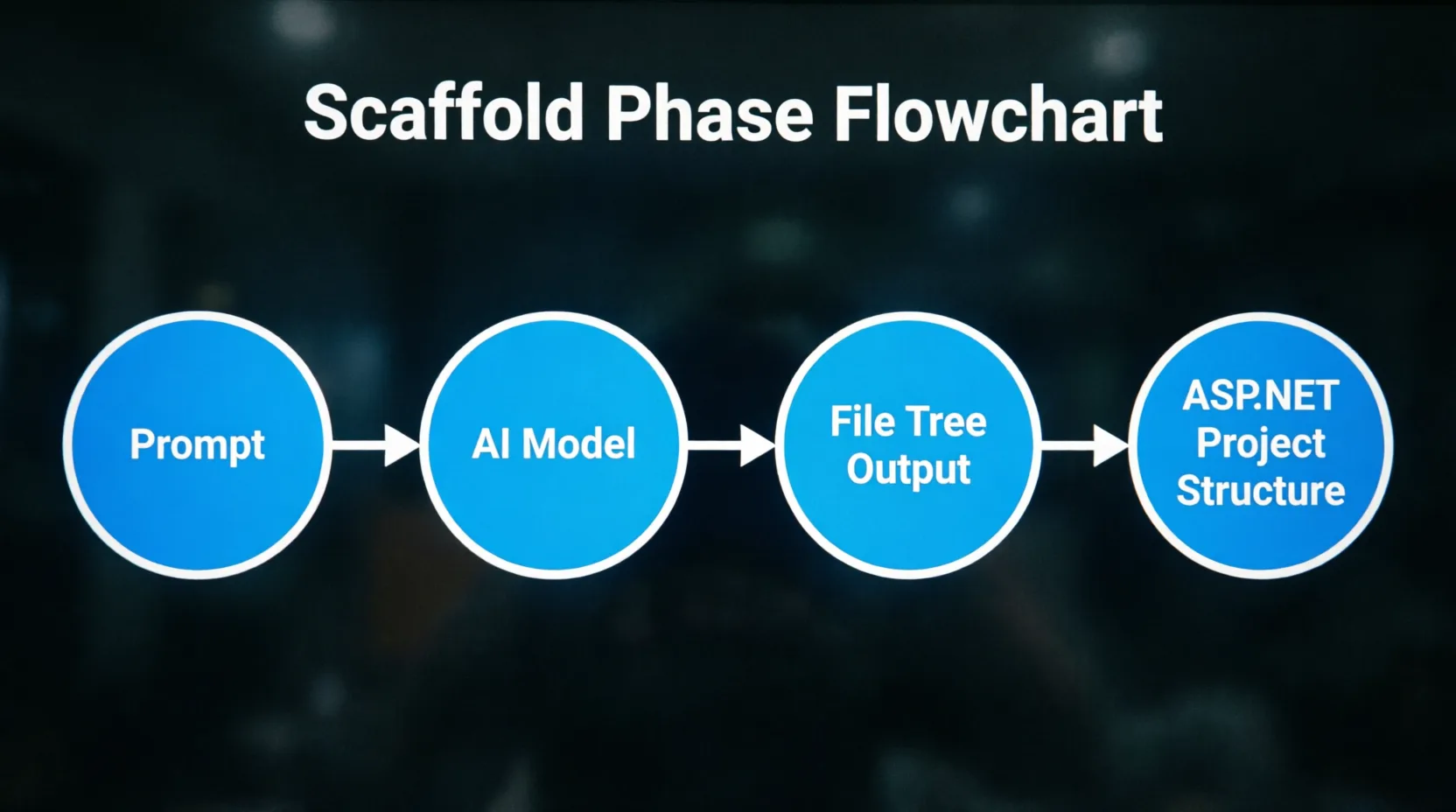
Scaffold Phase Flowchart
The initial scaffolding process: Starting with a natural language prompt, the AI model processes the request, generates a file tree output, and produces a complete ASP.NET project structure. This flat-design diagram illustrates the automated foundation-building stage.
I started with a brutal test. I dumped the entire project spec into a single prompt: domain model, endpoint contract, folder structure preferences, and tech stack. No hand-holding.
Prompt:
"Create an ASP.NET Core 8 Minimal API project for a financial data service.
It needs: Account entity (AccountId, OwnerId, Balance, Currency, CreatedAt),
Transaction entity (TransactionId, AccountId, Amount, Category, Timestamp, Direction enum).
Folder structure: /Features/{FeatureName}/{Handler, Endpoint, Request, Response}.
Use EF Core with PostgreSQL. Add FluentValidation. Output the full file tree
and the complete code for the Account feature only."
Claude returned a working file tree and four complete files in under 10 seconds. The folder structure matched my preference. The entity had correct data annotations. The EF Core DbContext was properly configured. The endpoint mapping used MapGroup correctly.
I ran it. It compiled. The migration ran. The endpoint returned data.
This is where AI-assisted development looks like magic — because for greenfield scaffolding with a well-defined spec, it basically is. The cognitive load of "how do I structure this project" is almost entirely offloaded.
What Made the Prompt Work
- Explicit entity shapes with field names and types
- Named the folder convention I expected
- Scoped the output ("Account feature only") to avoid hallucinated file dumps
- Asked for file tree first, then implementation — two mental steps, two prompts
Phase 2: Domain Logic — The First Reality Check
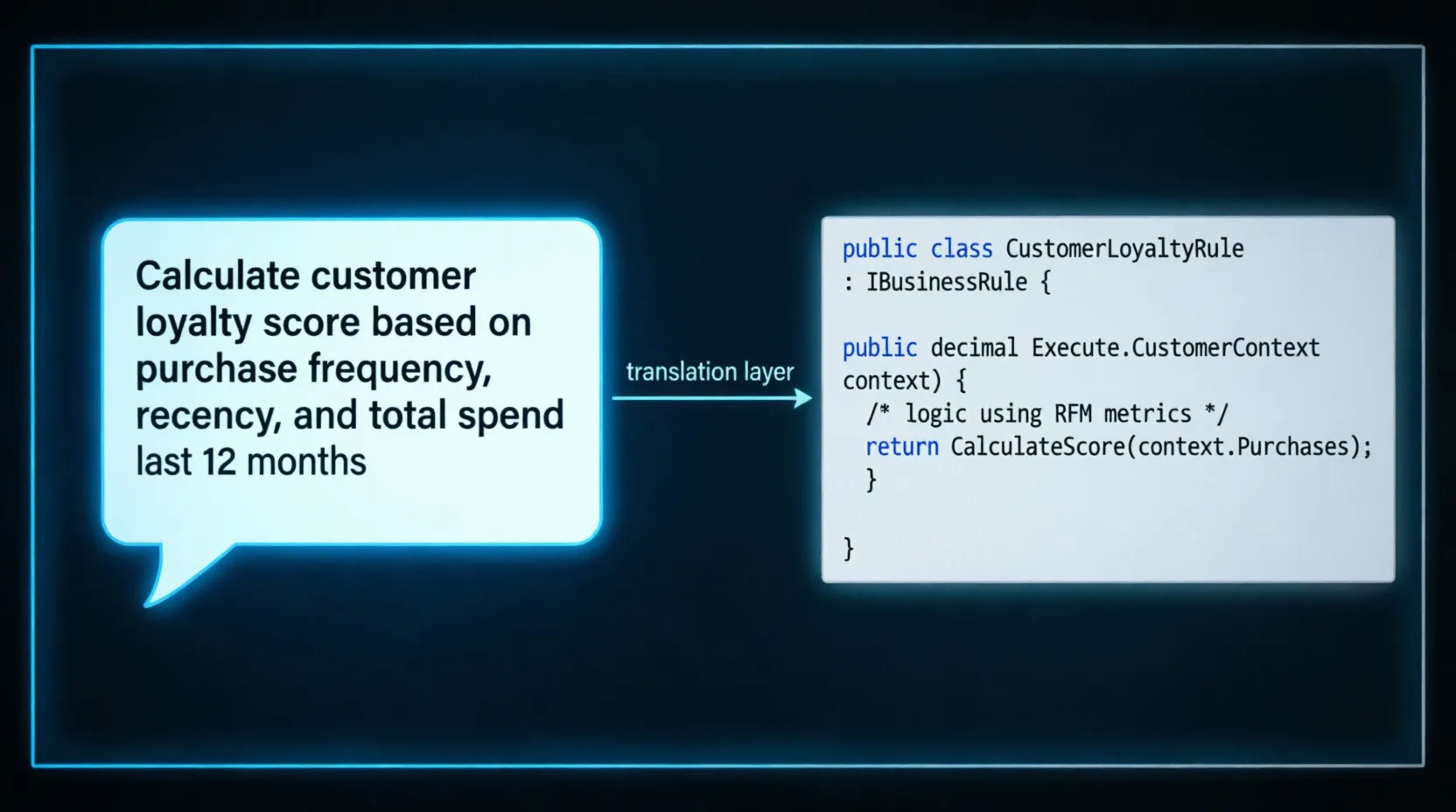
Domain Logic Translation Layer
The translation layer in action: A human-readable business requirement ("Calculate customer loyalty score based on purchase frequency, recency, and total spend") is transformed into clean, structured C# code implementing the IBusinessRule interface. This demonstrates AI's ability to bridge natural language and domain-specific implementation.
Scaffolding is one thing. Business logic is where things got interesting. I needed a transaction aggregation feature: group by category, compute net flow per period, flag anomalies over a rolling average threshold.
My first prompt was too vague:
❌ Bad Prompt:
"Add a transaction aggregation endpoint that groups by category and flags anomalies."
The output was technically correct but useless in context. It used a naive LINQ GroupBy with no period scoping. The anomaly detection was a hardcoded threshold of 2x average. It would have worked in a demo. It would have failed immediately in production once a customer had 3 years of transaction history.
The fix wasn't to write the code myself — it was to write a better prompt:
✅ Better Prompt:
"Implement a GET /accounts/{accountId}/summary endpoint.
It accepts optional query params: fromDate, toDate (ISO 8601), currency (3-char ISO).
It returns: per-category totals, inflow vs outflow net, and a list of transactions
where the amount exceeds 2.5 standard deviations from the 30-day rolling mean
for that category. Use EF Core IQueryable — do not load all transactions into memory.
The anomaly detection must run in SQL via EF Core, not in-process."
That prompt produced a query that pushed aggregation to PostgreSQL via STDDEV and AVG window functions through EF Core's raw SQL interpolation. Clean, performant, and correct.
The lesson: AI is as precise as your spec. Vague business requirements produce vague, naive implementations. If you wouldn't give that spec to a junior developer, don't give it to an AI.
Phase 3: Auth and Middleware — Surprisingly Solid
JWT auth is well-trodden territory in every AI model's training data. I expected this to be trivial. It was — but with one nasty surprise.
Prompt:
"Add JWT bearer authentication to the Minimal API. Use Microsoft.AspNetCore.Authentication.JwtBearer.
The token must include claims: sub, accountId (custom), role. Add a /auth/token endpoint
that accepts {username, password}, validates against a hardcoded user store (for demo),
and returns a signed JWT. Secret key loaded from IConfiguration. Add a [RequireAuthorization]
equivalent using .RequireAuthorization() on relevant route groups."
The output was correct. Configuration, builder setup, endpoint — all clean. But the AI used SecurityAlgorithms.HmacSha256Signature as the algorithm string when creating the SigningCredentials. That constant is deprecated in newer versions of System.IdentityModel.Tokens.Jwt. It still works — but it's a subtle sign that training data skews toward older patterns.
I caught it because I know the library. A developer who didn't might ship it without a second look. AI doesn't know what version of a library you're running unless you tell it.
Middleware Prompt That Worked Well
Prompt:
"Create a request correlation middleware for ASP.NET Core. It should:
1. Read X-Correlation-Id from request headers, or generate a new GUID if absent.
2. Add it to the response headers.
3. Add it to the current ILogger scope for all downstream log entries.
4. Expose it via a scoped ICorrelationContext service injected into handlers.
Register as a typed middleware with UseMiddleware<CorrelationMiddleware>()."
Output: perfect. Zero edits needed. This class went straight to production in a different project the same week.
.webp)
AI Reliability Failure Zones Map
A heatmap visualization of API development concerns categorized by AI reliability: Green zones indicate high AI reliability, yellow represents moderate reliability requiring human oversight, and red marks areas where AI struggles and human expertise is critical. Essential for understanding where to apply AI assistance versus manual development.
Integration tests with Testcontainers require understanding context: test lifecycle, shared vs. isolated containers, seeding strategies, and the EF Core migration order in test fixtures. AI handles the happy path well. Edge cases require surgical prompts.
Prompt:
"Write an xUnit integration test for GET /accounts/{accountId}/summary.
Use Testcontainers.PostgreSQL. The test fixture must:
- Start a real Postgres container once per test class (IClassFixture)
- Run EF Core migrations before the first test
- Seed 3 accounts and 50 transactions (varied categories, directions, timestamps)
- Use WebApplicationFactory to spin up the real API against the test container
- Assert response shape: categories array, netFlow decimal, anomalies list
- Include one test case where anomalies list is non-empty"
First attempt: correct structure, but the seed data was generated with all transactions in the same category, making the anomaly test case mathematically impossible to trigger. Standard deviation of a single category with identical amounts is zero — nothing ever flags.
I re-prompted with explicit seed values — 48 transactions averaging $200, 2 transactions at $2,400. The second output was correct and the test passed.
This is the pattern: AI tests the structure of your test. You have to test the logic of the test.
Where AI Failed — Honest Assessment
| Concern | AI Reliability | Notes |
|---|---|---|
| Project scaffolding | ✅ Excellent | File structure, boilerplate, DI setup |
| Standard CRUD endpoints | ✅ Excellent | Very consistent output |
| JWT auth setup | 🟡 Good | Watch for outdated API patterns |
| Middleware / pipeline | ✅ Excellent | Strong with precise prompts |
| Complex domain logic | 🟡 Moderate | Needs spec-level detail in prompt |
| EF Core advanced queries | 🟡 Moderate | Tends toward in-memory if not constrained |
| Integration test correctness | 🔴 Weak | Structure OK, test logic often wrong |
| Cross-feature refactoring | 🔴 Weak | No awareness of broader codebase |
| Error handling (global) | 🟡 Good | Needs explicit ProblemDetails spec |
| Security review | 🔴 Unreliable | Never trust AI-generated security logic without review |
The 5 Prompt Patterns That Actually Worked
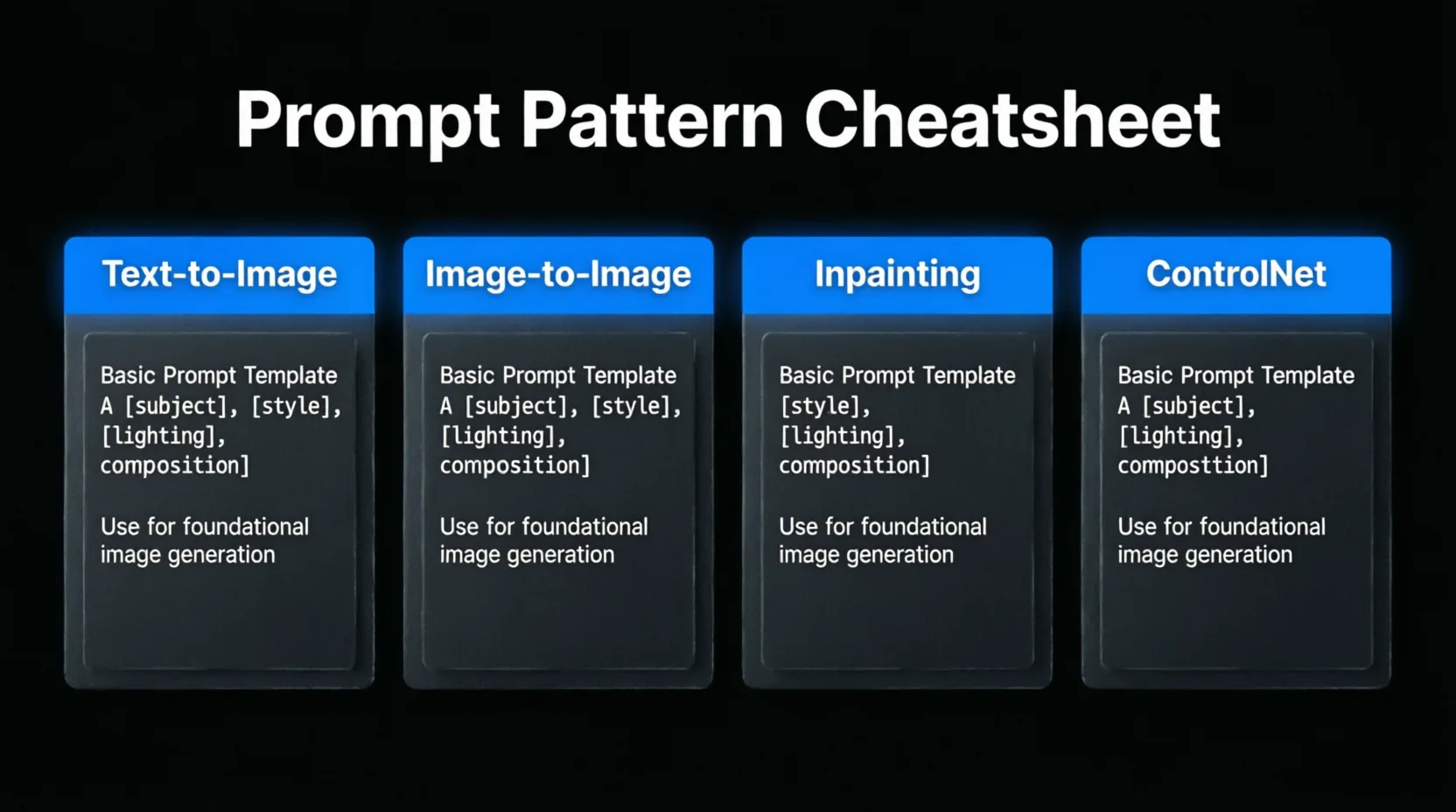
Prompt Pattern Cheatsheet
Four essential prompt templates organized by use case: Text-to-Image for foundational generation, Image-to-Image for transformations, Inpainting for selective edits, and ControlNet for guided generation. Each card provides a structured template with placeholders for subject, style, lighting, and composition parameters.
1. The Constraint Sandwich
Wrap every prompt: context → constraint → output format. AI fills in gaps liberally unless you constrain them. Explicit output format ("return only the Handler class, nothing else") cuts noise in half.
2. The Negative Spec
Tell AI what NOT to do. "Do not load entities into memory before filtering. Do not use AutoMapper. Do not add XML comments." This is as important as the positive spec.
3. The Versioned Library Pin
Include package versions in your prompt. "Using EF Core 8.0.x, not 6.x patterns. Use the new UseSeeding API in OnModelCreating." Without this, you'll get training-data-averaged code that spans multiple library generations.
4. The Scope Limiter
Never ask for "the whole feature." Ask for one class at a time. "Output only the TransactionRepository interface and its EF Core implementation. Assume the DbContext is already injected." Scope-limited prompts have dramatically higher accuracy than full-feature prompts.
5. The Adversarial Re-Prompt
"Review the code you just generated. List every assumption you made
that I didn't specify. Then list any edge cases this implementation
would fail on. Do not rewrite the code yet."
This is the single most powerful pattern I found. AI will surface its own blind spots when asked adversarially. Use the output to write your next prompt.
Code Quality — What I Actually Measured
After the two-week build, I ran the codebase through two passes: a manual review and Roslyn analyzers with nullable reference types enforced.
- Compilation warnings: 4 (all nullable-related, all in generated test fixtures)
- Cyclomatic complexity outliers: 2 methods above threshold (both in aggregation logic)
- Missing cancellation token propagation: 6 async methods — AI consistently generates async signatures without threading
CancellationTokenthrough to EF Core calls - Hardcoded values that should be configuration: 3 (timeout values, one page size)
None of these were blockers. All were fixable in under an hour. For a two-week build of a realistic API surface, this is a better defect rate than most sprint reviews I've sat in.
The CancellationToken Problem
This one deserves its own section because it's consistent across every AI model I tested.
AI generates async methods. It generates EF Core queries. But it almost never propagates CancellationToken from the endpoint handler down through the service layer into the EF Core call — unless explicitly told to.
// What AI generates (common pattern):
app.MapGet("/accounts/{id}/summary", async (Guid id, ISummaryService service) =>
{
    var result = await service.GetSummaryAsync(id);
    return Results.Ok(result);
});

// What you actually want:
app.MapGet("/accounts/{id}/summary", async (
    Guid id,
    ISummaryService service,
    CancellationToken ct) =>
{
    var result = await service.GetSummaryAsync(id, ct);
    return Results.Ok(result);
});
In a high-throughput API under Azure Load Testing, I've seen the missing token pattern cause requests to continue executing after the client disconnects — burning database connections on abandoned queries. Add this to your prompt template permanently:
"All async endpoint handlers must accept CancellationToken as a parameter
and propagate it to all downstream async calls including EF Core queries."
Should You Build This Way in Production?
Not as a solo workflow — but as a team accelerator, yes. Here's how I'd frame the split:
- AI owns: Scaffolding, boilerplate, standard patterns, first-pass implementations, test structure, documentation stubs
- Senior engineer owns: Domain rule validation, security review, integration correctness, performance edge cases, cross-feature consistency
- AI assists: Refactoring with explicit diffs, explaining tradeoffs, surfacing its own assumptions when prompted adversarially
The developer who complains that "AI code isn't production quality" is usually the same developer who hands vague specs to junior engineers and then wonders why the PR needs five rounds of review. The quality of AI output is a function of input quality — same as people.
What I'd Do Differently
- Start with a prompt library, not a blank chat. Build reusable templates for your common patterns (middleware, repo pattern, test fixture) before the project starts.
- Use a single context window per feature, not one per question. Cursor's context injection beats ad-hoc Claude chat for code work because the model sees your existing files when generating new ones.
- Run Roslyn analyzers from day one. Don't wait for review to catch nullable and async issues — wire them into your CI pipeline and let them fail the AI's output automatically.
- Never use AI-generated code for auth logic without a human security pass. Even correct-looking JWT implementations can miss subtle token validation gaps. That review is non-negotiable.
Related Reading on TechSyntax
- Cursor vs Windsurf vs GitHub Copilot — Real Developer Comparison
- Building AI-Powered Backends with .NET 10 — What's Actually New
- AI Coding Tool Benchmarks — Which One Writes Better .NET Code?
Official Documentation
- ASP.NET Core Minimal APIs — Microsoft Docs
- Entity Framework Core Documentation
- Claude API Documentation — Anthropic
Final Verdict
I shipped a functional, tested, reviewable API without writing a single line of implementation code manually. The total prompt count was 94. The total estimated time savings vs. typing it myself: around 60%. The issues introduced that I wouldn't have introduced myself: CancellationToken gaps, one deprecated API constant, and test seeds that didn't mathematically exercise the code under test.
That's a trade I'll take every single time.
The engineers who will win with AI aren't the ones who let it run unchecked. They're the ones who've built enough of a mental model to know exactly where the seams are — and prompt precisely enough to close them.
AI doesn't replace your engineering judgment. It multiplies it. The question is whether your judgment is sharp enough to know what it got wrong.
Be the first to leave a comment!